# 카카오톡 알림톡 발송 내역 보기
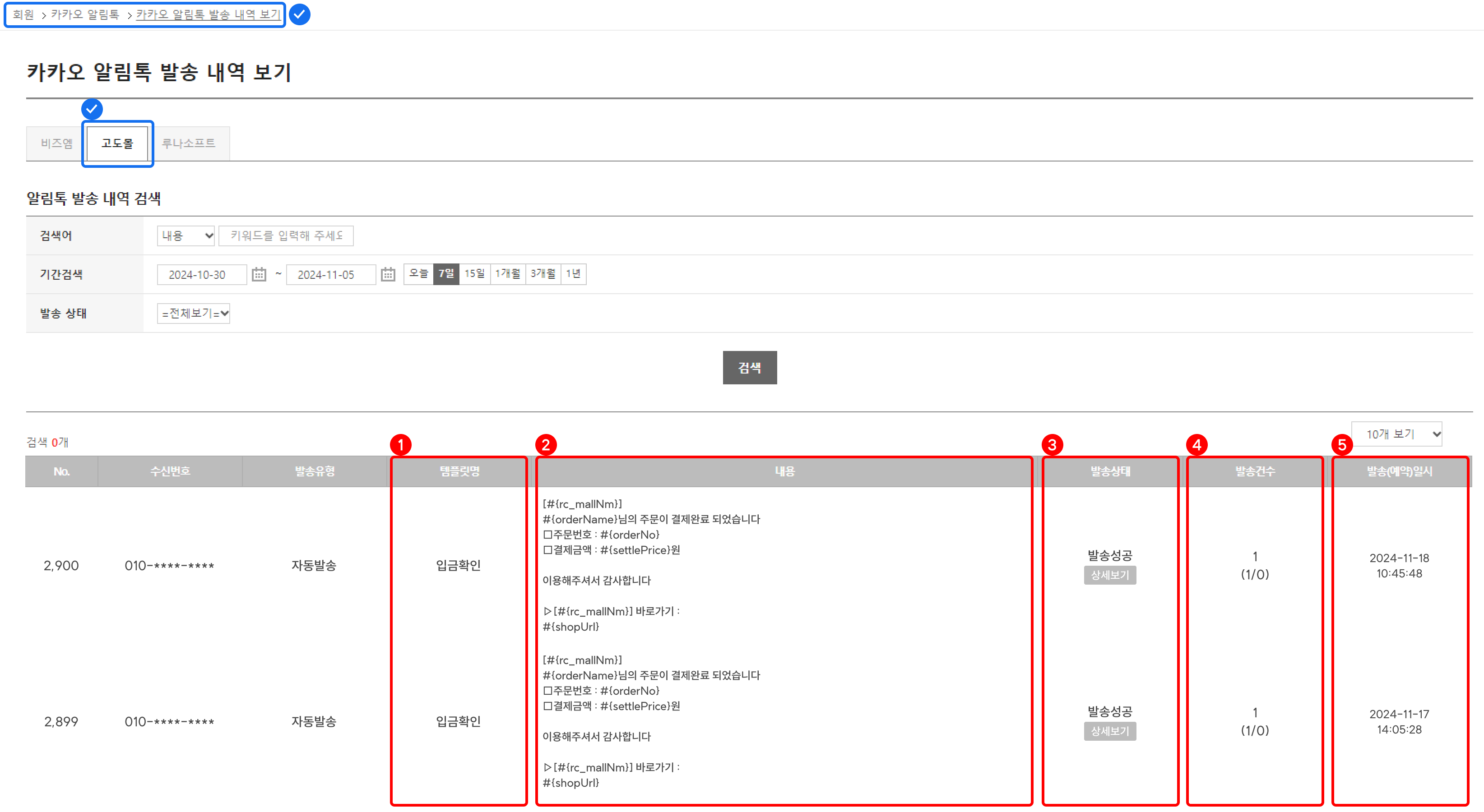
## 알림톡 발송 내역
1. 템플릿 명: 발송된 템플릿 명을 확인할 수 있어요.
2. 템플릿 내용: 발송된 템플릿 내용을 확인할 수 있어요.
* 목록에는 치환 코드로 노출되며, 카카오 알림톡 발송 내역 상세 보기에서 치환된 실제 내용을 볼 수 있어요.
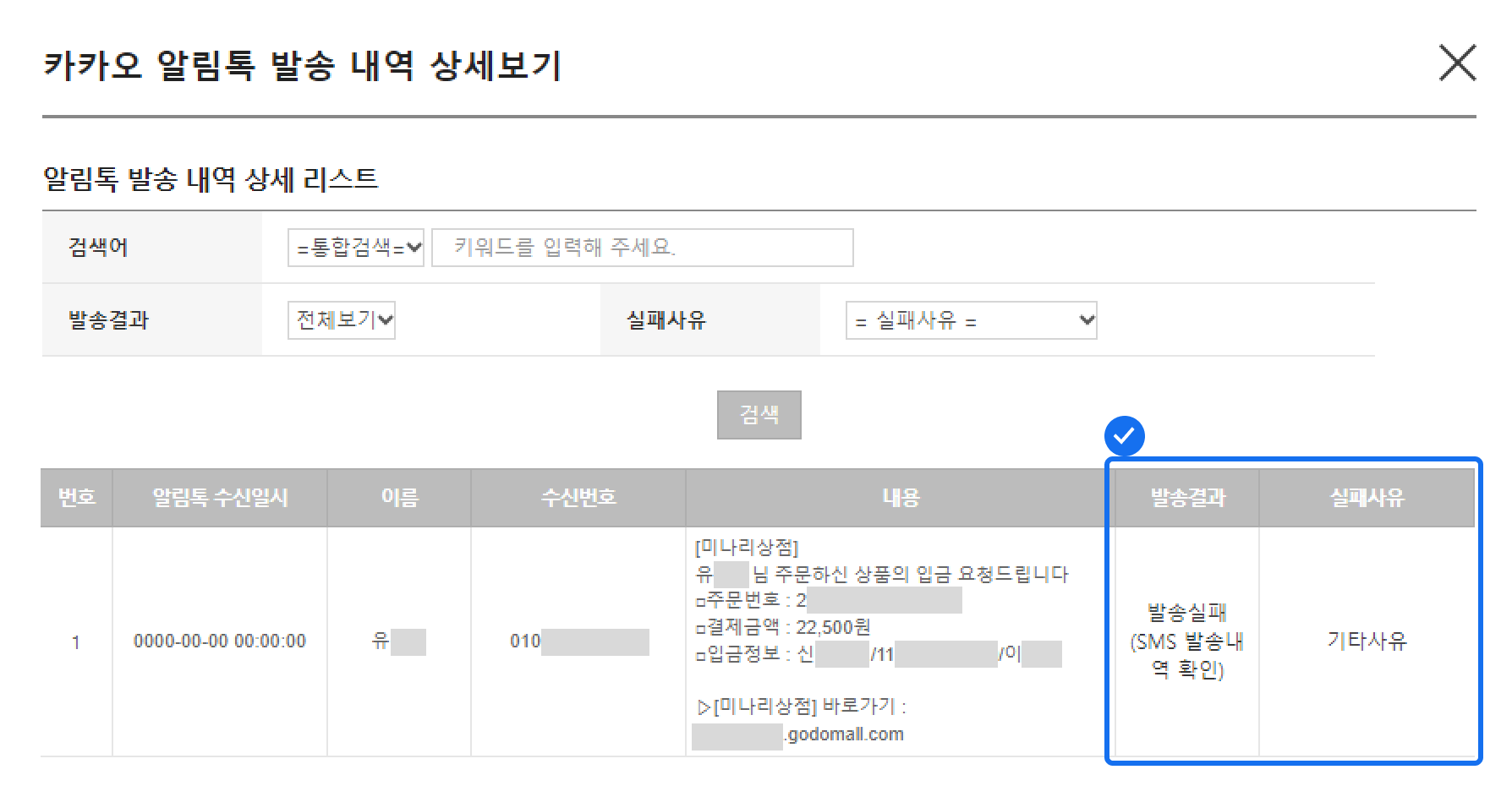
3. 발송 상태: 발송 상태를 확인할 수 있으며, \
\[상세 보기] 버튼 클릭 시 카카오 알림톡 발송 내역 상세 보기 팝업이 노출돼요.
[상세보기]
4. 발송 건수: 발송된 건수를 확인할 수 있어요.
* 발송 성공 및 발송 실패 건도 함께 확인할 수 있어요.
5. 발송(예약)일시: 알림톡 발송 시간을 확인할 수 있어요.
---
# Agent Instructions: Querying This Documentation
If you need additional information that is not directly available in this page, you can query the documentation dynamically by asking a question.
Perform an HTTP GET request on the current page URL with the `ask` query parameter:
```
GET https://store-help.nhn-commerce.com/app/counsel/undefined/undefined/undefined-2.md?ask=
```
The question should be specific, self-contained, and written in natural language.
The response will contain a direct answer to the question and relevant excerpts and sources from the documentation.
Use this mechanism when the answer is not explicitly present in the current page, you need clarification or additional context, or you want to retrieve related documentation sections.